
Technical documentation
AeroField user manual.
Installation, ten-minute quick start, component reference, five visualization methods, advanced settings, baking, animation export, troubleshooting, and interpretation limits.
Installation.
AeroField requires Rhino 8.30 or newer with Grasshopper. Keep AeroField.gha and AeroField.Core.dll together in the same plugin folder. The Yak package is the preferred public release file for Rhino 8.30+.
Ten-minute quick start.
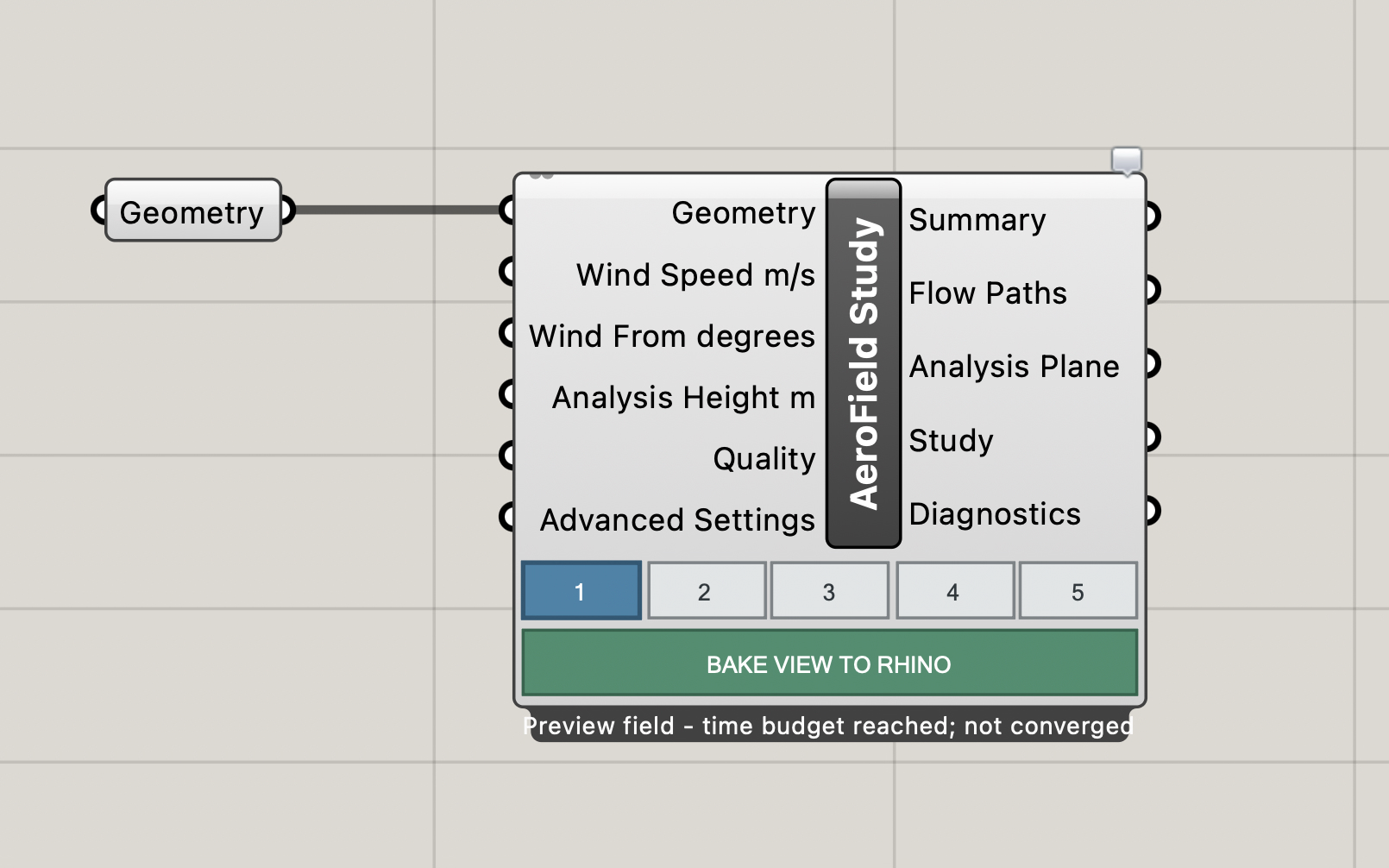
Create or reference a closed building mass, add an AeroField Study component, and connect the geometry to Geometry. The Study calculates automatically; there is no Run input because Grasshopper updates when inputs change.
Three public components.
AeroField Study
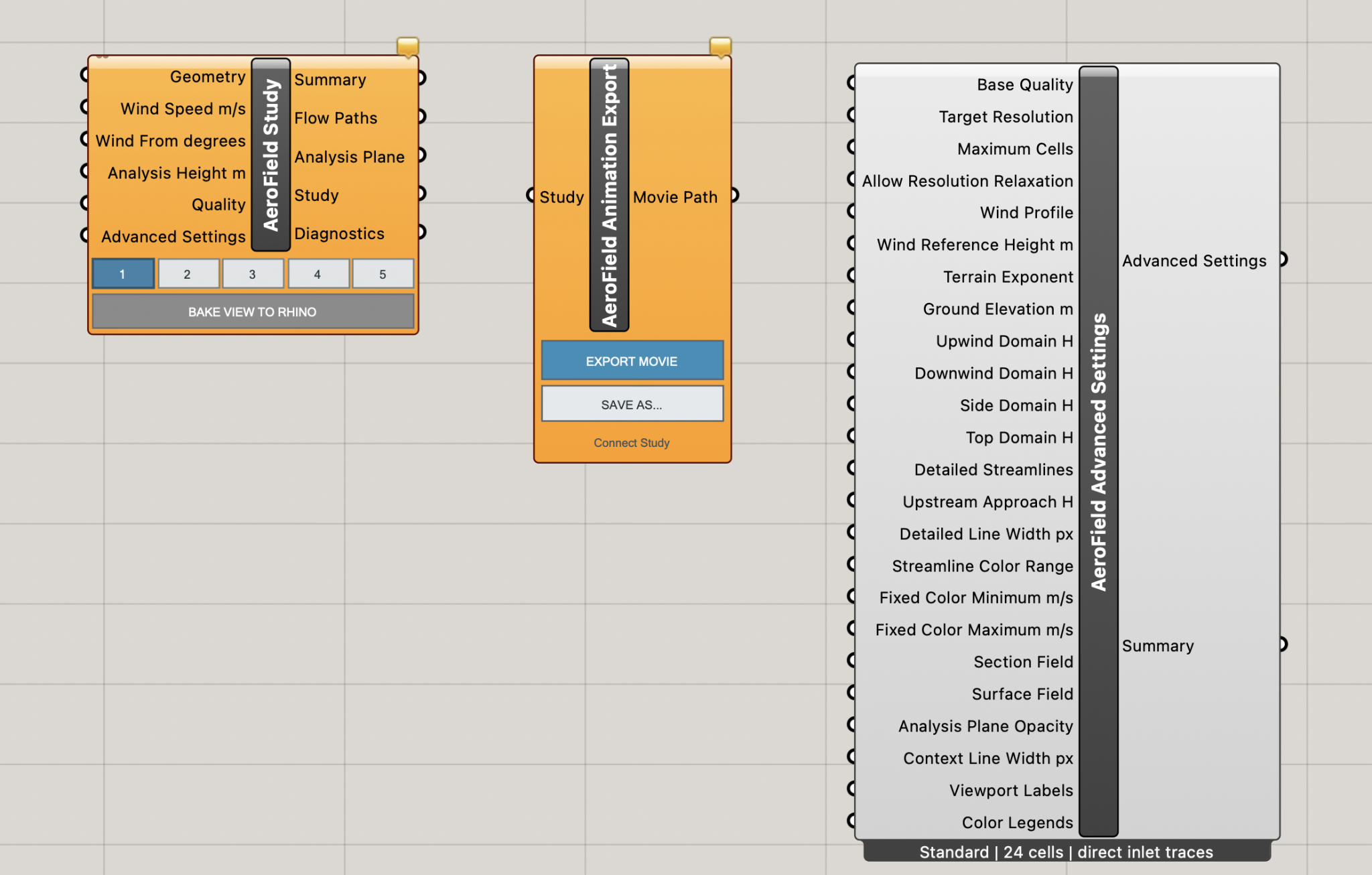
Main component. Accepts buildings, computes the field, previews the selected method, bakes the view, and outputs Summary, Flow Paths, Analysis Plane, Study, and Diagnostics.
AeroField Advanced Settings
Optional controls for quality, resolution, domain extents, wind profile, streamline density, scalar fields, line width, and live viewport graphics.
AeroField Animation Export
Connect the Study output to prepare Full HD frames and export a locally supported movie format.
One-wire standard workflow
Advanced Settings and Animation Export are optional; a normal study starts with a single wire into Study.
Study reference.
The Study component is the center of AeroField. It accepts ordinary study inputs, displays five visualization buttons, and includes BAKE VIEW TO RHINO for persistent geometry output.
The five visualization methods.
1. Detailed 3D Streamlines
Overall three-dimensional wind routes around, over, and behind the buildings.
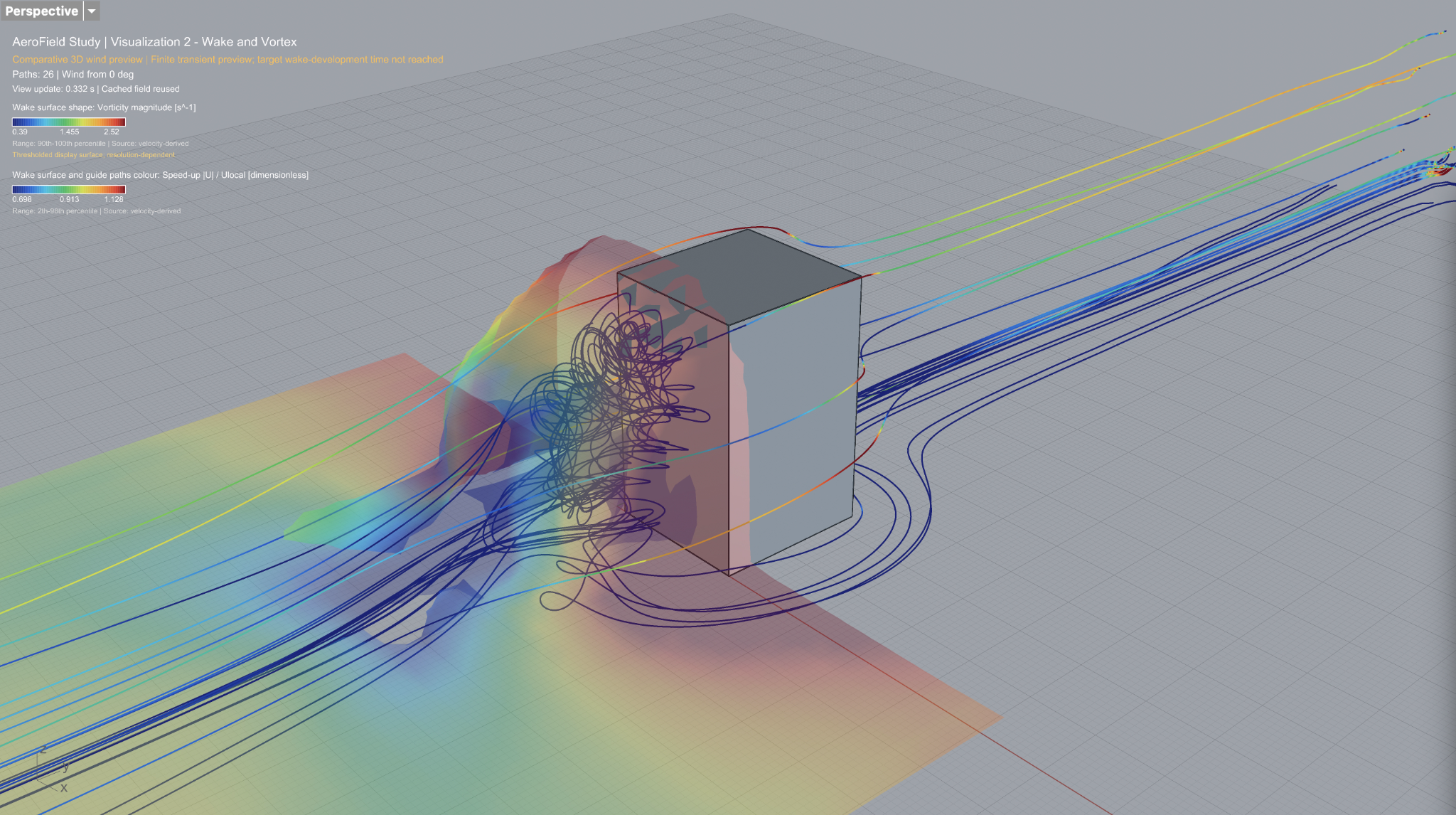
2. Wake and Vortex
Downstream wake organization and rotational indicators.
3. Pedestrian Wind Map
Horizontal scalar map at the selected analysis height.
4. Flow Sections
Horizontal or vertical scalar-field sections through the stored 3D field.
5. Surface Exposure
Relative speed-up, speed, or pressure-proxy exposure on facades and roofs.
Advanced settings.
Use Advanced Settings after the basic workflow is understood. Connect only the controls you want to override; unconnected advanced inputs inherit the selected Base Quality preset.
Animation export.
Connect AeroField Study.Study to AeroField Animation Export.Study. Frames are prepared automatically, then use EXPORT MOVIE or SAVE AS to write the movie path.
Interpretation and limitations.
AeroField is intended for conceptual studies, education, and qualitative comparison. Use it to form questions, compare options, identify areas that deserve attention, and prepare a clearer brief for specialist analysis.